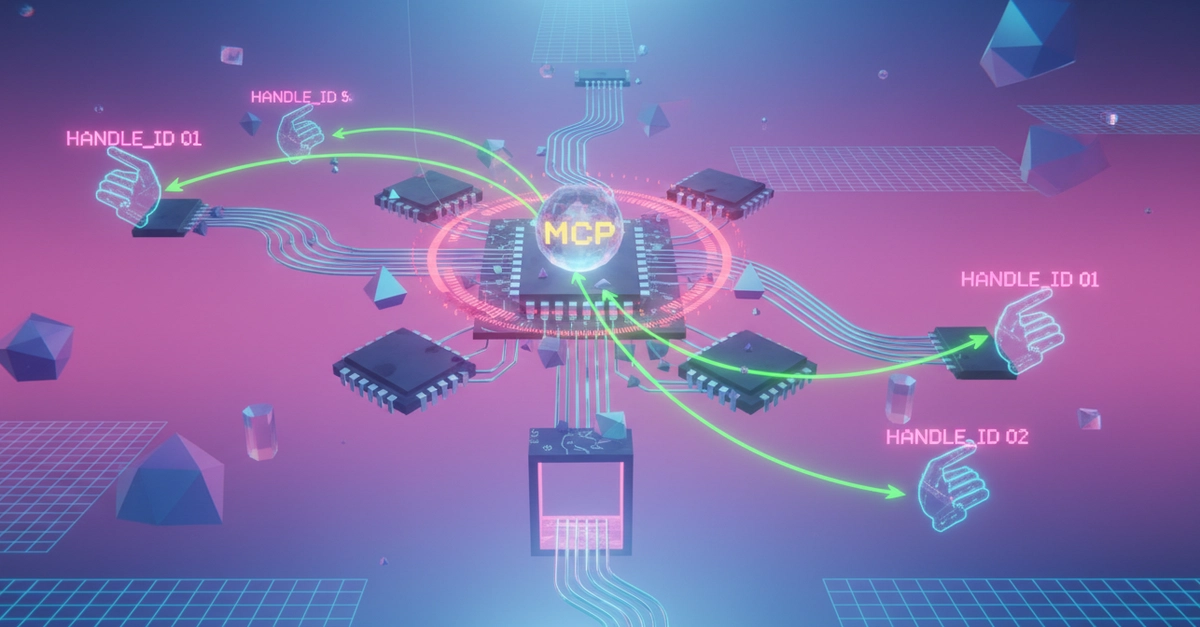
The topic of Fix MCP Timeouts: Async HandleId Pattern is currently the subject of lively debate — readers and analysts are keeping a close eye on developments.
This is taking place in a dynamic environment: companies’ decisions and competitors’ reactions can quickly change the picture.
MCP tools freeze AI agents when external APIs are slow, causing 424 errors. The async handleId pattern returns immediately with a job ID and polls for results without blocking.
MCP tool timeout occurs when an AI agent calls a Model Context Protocol (MCP) tool that depends on a slow external API. The tool blocks the agent indefinitely instead of returning an error. The result is a 424 (Failed Dependency) error or a frozen workflow with no user feedback. This post shows the problem with real scenarios and how the async handleId pattern provides immediate responses.
This demo uses Strands Agents with MCP (Model Context Protocol). The async pattern is framework-agnostic and applies to any agent that calls external APIs through MCP.
The Model Context Protocol (MCP) enables AI agents to call external tools. But when those tools depend on slow APIs, the entire agent workflow freezes. The agent waits. The user waits. Nothing happens.
Community observation from Octopus (Resilient AI Agents With MCP, 2025) identifies the core issue: as external system integrations increase, so does the likelihood of failure. systems become unavailable, slow to respond, or return errors. Agents have no built-in strategy to handle this.
The MCP protocol has implicit timeout expectations. If the tool doesn’t respond within ~7-10 seconds, the connection may drop with a 424 (Failed Dependency) error. The agent receives an error instead of data, and the user gets no useful response.
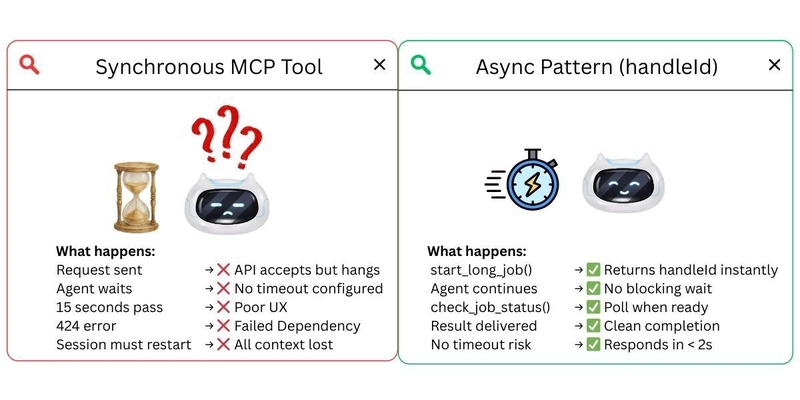
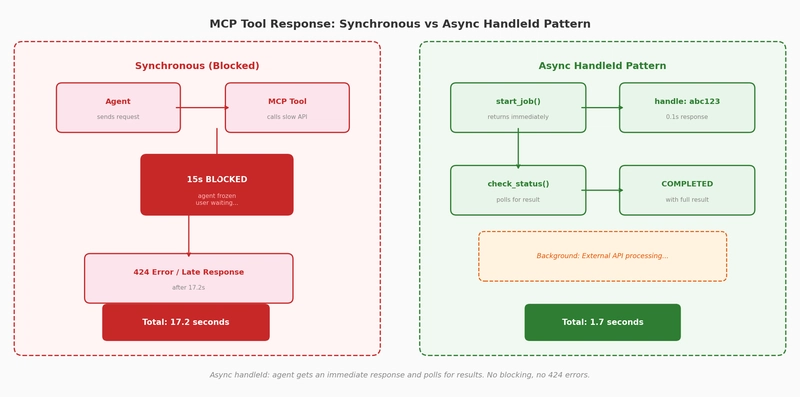
The async pattern transforms a 17.8s wait into a 3.7s immediate response. The agent tells the user “job started” and can check status later, with no frozen UI and no timeout errors.
The MCPClient connects to any MCP server in two lines. The agent discovers available tools at runtime through list_tools_sync(), so you don’t maintain a hardcoded tool list. When the MCP server implements the async handleId pattern, the agent polls automatically without extra orchestration code.
Strands supports multiple model providers (OpenAI, Amazon Bedrock, Anthropic, Ollama). The MCP timeout patterns shown here work identically across all providers.
You need Python 3.9+, uv, and an OpenAI API key. The MCP server runs locally as a subprocess, so no external services are needed.
Or open test_mcp_timeout.ipynb in Jupyter, JupyterLab, VS Code, or your preferred notebook environment.
A 424 (Failed Dependency) error occurs when an MCP tool takes longer than the implicit timeout threshold (typically 7-10 seconds) to respond. The MCP protocol expects tools to return quickly. When an external API blocks the tool beyond this threshold, the connection drops and the agent receives a 424 error instead of data.
Use the async handleId pattern for any tool that calls an external API with unpredictable latency: data processing, report generation, third-party service calls, or any operation that might exceed 5 seconds. For fast lookups, calculations, and small API calls under 5 seconds, direct calls work fine.
Yes. The async handleId pattern is an MCP server design pattern, not a framework feature. Any MCP-compatible agent can call start_long_job and check_job_status tools. The pattern works with OpenAI Agents, LangChain MCP integrations, and any client that supports the Model Context Protocol.
All code in this series is open source under the MIT-0 License. Star the repository to follow updates.
Are you sure you want to hide this comment? It will become hidden in your post, but will still be visible via the comment’s permalink.
For further actions, you may consider blocking this person and/or reporting abuse
DEV Community — A space to discuss and keep up software development and manage your software career
Built on Forem — the open source software that powers DEV and other inclusive communities.
Why it matters
News like this often changes audience expectations and competitors’ plans.
When one player makes a move, others usually react — it is worth reading the event in context.
What to look out for next
The full picture will become clear in time, but the headline already shows the dynamics of the industry.
Further statements and user reactions will add to the story.