The topic of I kept waiting for Docker to fail, but nineteen containers on bare metal proved… is currently the subject of lively debate — readers and analysts are keeping a close eye on developments.
This is taking place in a dynamic environment: companies’ decisions and competitors’ reactions can quickly change the picture.
Most people and guides on the internet will suggest that aspiring home lab enthusiasts install Proxmox as the foundation. Whether it’s a Reddit post, YouTube video, or tech forum discussion, the advice is usually the same: gather hardware, install a hypervisor, separate everything into virtual machines, and start building an enterprise-grade infrastructure from day one. After going through most of the online guides, I also expected that I would eventually end up there.
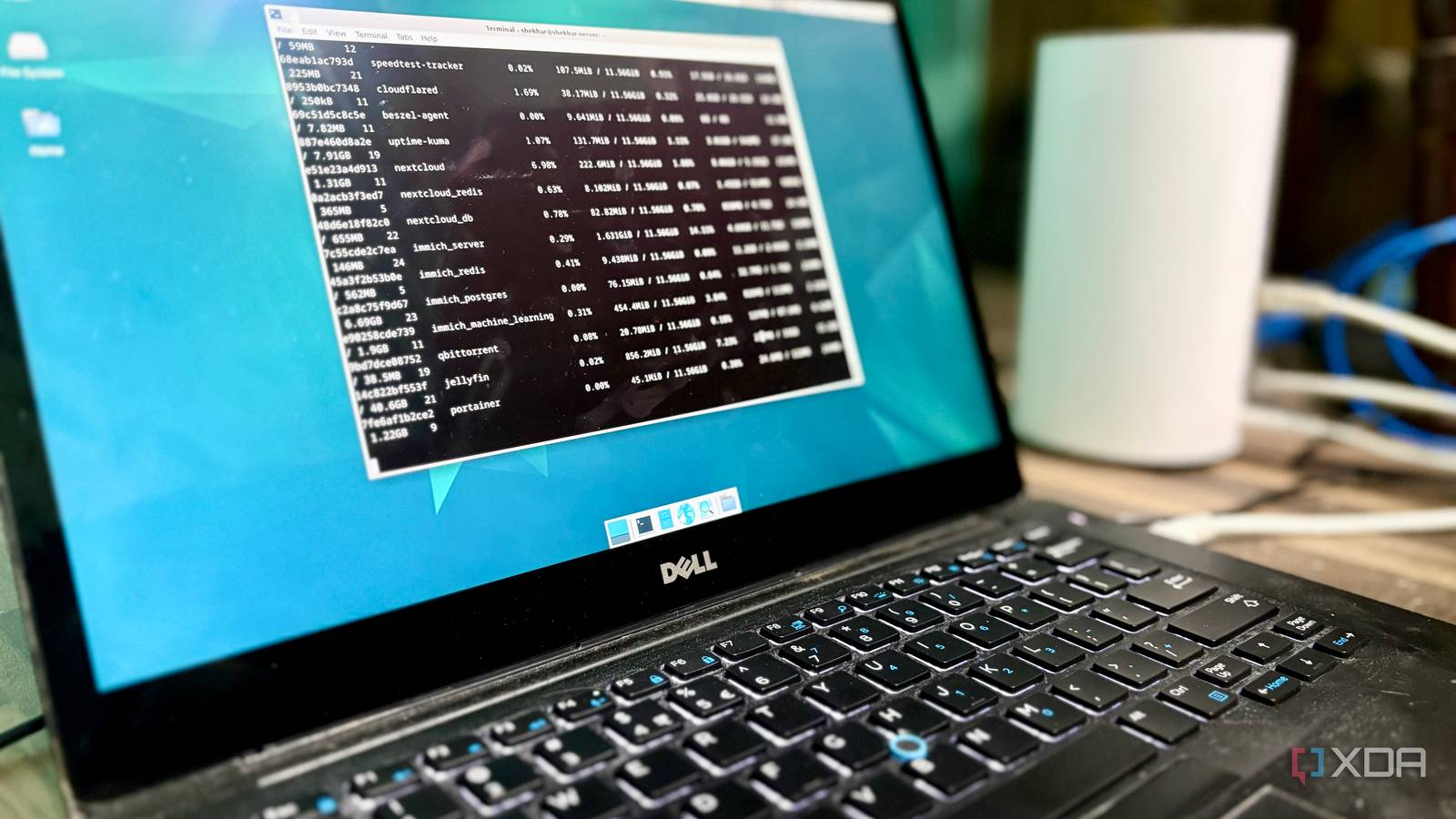
The funny thing is, today, almost a year later, my homelab is running on a bare-metal Debian server, and all services are on Docker. It hosts everything from Jellyfin and Immich to Vaultwarden and Pi-hole on a modest i5 machine. What started as a temporary phase due to hardware constraints, which I assumed, now has become a proof of concept that a bare-metal Docker setup could handle a full homelab environment.
At some point, I realized Docker was already enough for the way I used my homelab, and I didn’t actually need a hypervisor.
While I was building my first homelab setup, the internet had convinced me to install Proxmox as a first step. Most of the homelab beginner guides suggested what was easier and straightforward for a budding enthusiast. A hypervisor was always considered a foundation and a virtual machine as the starting point. The direction was, “Don’t touch the hypervisor and do whatever you can on a VM.” Maybe a fair point for someone who was just getting started with Linux systems and had little to zero knowledge about it.
Despite all the suggestions, I decided not to opt for Proxmox and install everything via Docker, since I had a few services in mind to get started with. There were two reasons behind choosing Docker instead of Proxmox: first, I was already familiar with Docker, and second, I thought my old hardware wouldn’t be sufficient for a hypervisor. A few services on Docker were my starting point, and with time, I might shift to Proxmox when Docker outgrows me.
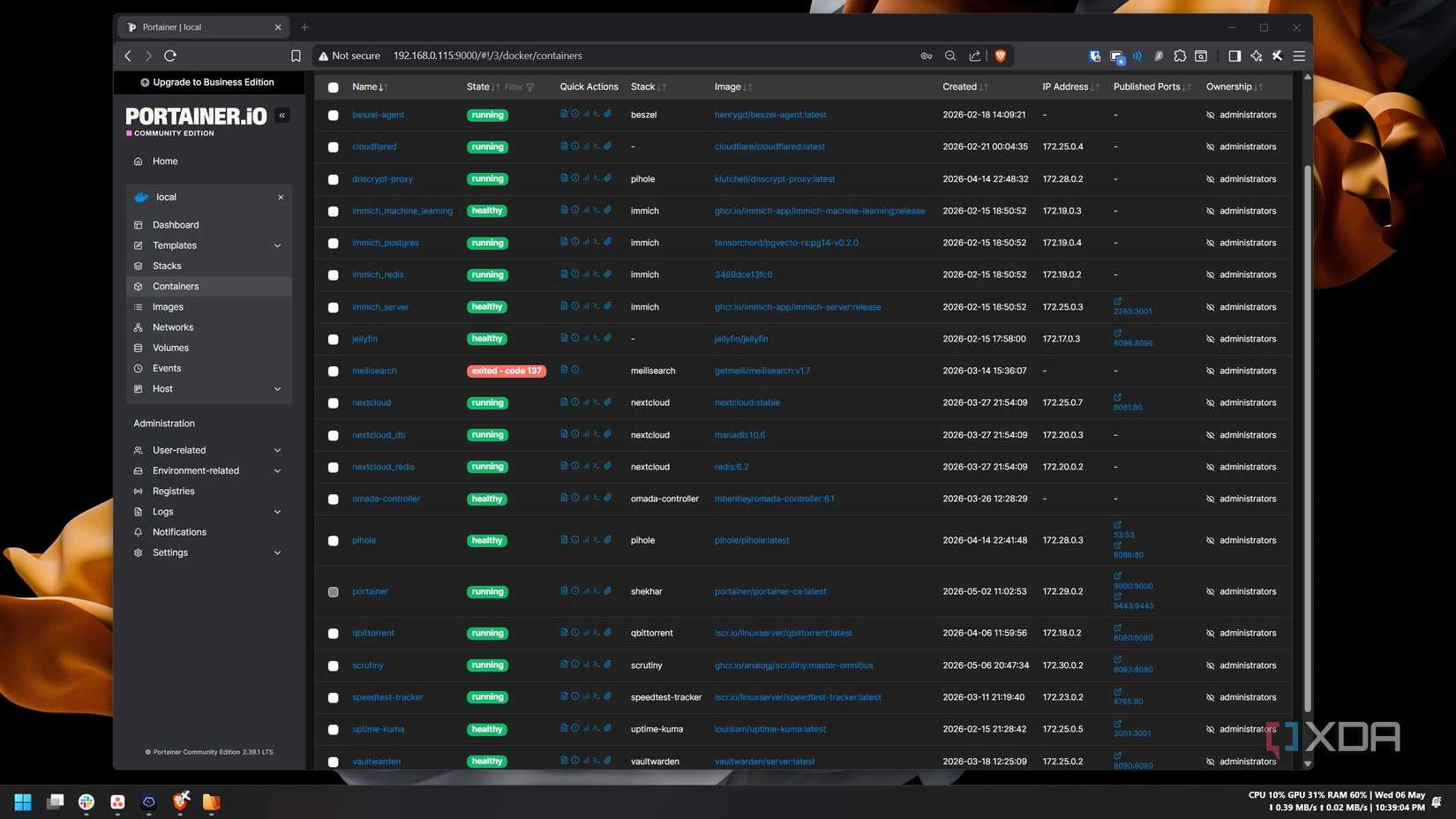
I started with only three services: Jellyfin, Immich and Nextcloud. I was happy with the hardware performance and, most importantly, the setup. It was a one-click deploy via compose stacks. Then I started thinking about adding more services to it. One by one, I added more than ten stacks to it. Pi-hole, Beszel, qBittorrent, Vaultwarden, Omada controller — the list was growing each week. Whatever I was thinking about, there was already a Docker setup for it. It was basically one long Compose file and one command to deploy it. Later, to ease the manual editing process of the compose file, I installed Portainer, and it solved the only friction I had. While setting all these up, I never felt the absence of a hypervisor. The internet said Proxmox was the foundation, but turns out I never needed it.
Proxmox is an open-source platform built on Debian Linux designed for server virtualization.
There was a reason why I was thinking that my hardware wouldn’t be able to handle a hypervisor and a virtual environment. I didn’t get enterprise-grade hardware for my homelab setup; instead, I repurposed an almost 8-year-old laptop as a bare metal server. The laptop was a Dell Latitude 7480; it had a Core i5-6300U CPU, 8GB RAM, and a 256GB SSD. Later, I added 4GB to it from another old laptop. So, technically, I spent zero on the hardware.
I never intended to keep running it for this long. I thought to start with this laptop, and then later, when my requirements grow, I would upgrade to better hardware and a better setup, like enterprise-grade hardware and Proxmox. I assumed Docker was a beginner-only setup and planned to upgrade when requirements grew. But in the first few months, I kept adding more and more services to it. Surprisingly, it handled all those services without any issues most of the time. It became a complete ecosystem sooner than I expected — Jellyfin, Immich, Nextcloud, Pi-hole with dnscrypt-proxy, Portainer, qBittorrent, the Omada controller, Vaultwarden, Cloudflared, etc. Together there were nineteen containers running more than ten stacks.
Since everything was running on Docker, most of the time, I didn’t have to touch Debian. Troubleshooting was also easier since the logs, container configs, and the Compose stacks were there in the Portainer UI. When something broke, I debugged Docker directly via Portainer. I didn’t have to worry about nested networking and VM resource allocation. Docker and sometimes Debian were my only points of contact for everything. I did have a few networking constraints, but because of my ISP and not the hardware or software. My ISP provides the internet connection behind CGNAT, so I had to take the help of Tailscale and Cloudflare Tunnel to make it work, but that was only a couple of Docker containers away.
The overall setup was simple enough that I spent more time using the services than maintaining the infrastructure.
For the kind of setup I was running, I never felt the need to move beyond Docker. But this doesn’t mean that Proxmox is just overhyped and no one would ever need it in their setup. I, too, have faced a few constraints with my Debian + Docker setup that would not have been there in the first place if I were on Proxmox.
for example, I am experimenting with OS-level changes like an experimental kernel upgrade and network modifications like a custom DNS setup, and it breaks the whole setup if something goes wrong. This wouldn’t happen if I experimented with these inside a virtual environment managed by Proxmox.
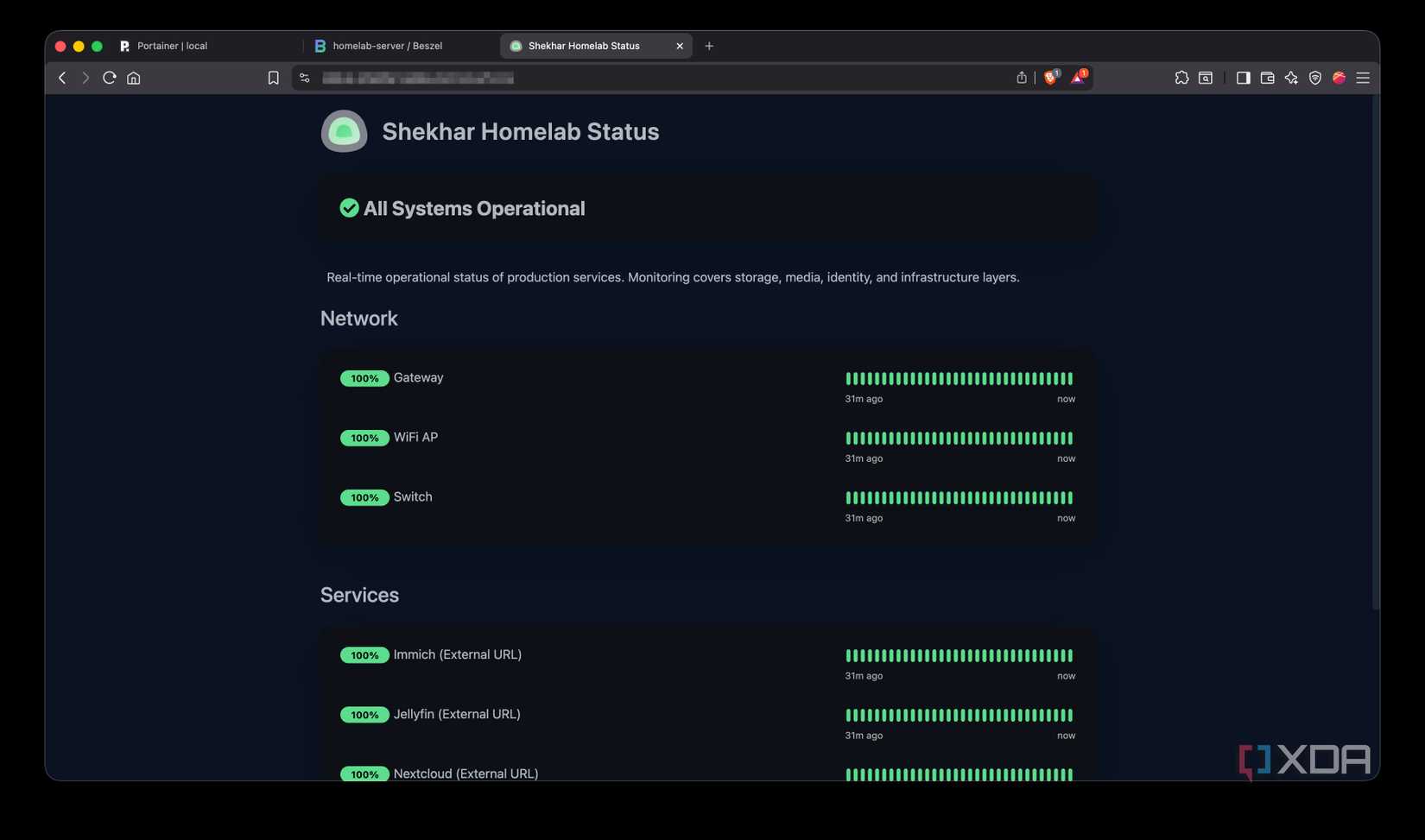
Pi-hole and dnscrypt-proxy are responsible for keeping my whole home network running since they work as DNS servers on my main router/gateway. These two services, along with Cloudflare Tunnel, live on the same host, so testing something that touches DNS or networking at the OS level risks breaking the whole setup down.
in future, if I decide to turn my main workstation into a partial homelab server without dual-booting, a Proxmox setup would easily help me run both Windows and Linux simultaneously on the same box in no time. So, basically, if I am running multiple operating systems, experimenting with Kubernetes clusters, or learning enterprise virtualization, a hypervisor becomes incredibly useful.
VM snapshots are the one feature of Proxmox I genuinely envy. When something goes wrong with my current Docker on Debian setup, I would have to restore the last backup, but with snapshots, I could just roll back in a few seconds.
Could I eventually outgrow my current Docker setup and move to Proxmox? Maybe. But so far, the setup I am currently living with is simple, predictable, and easy to maintain. It matters more than adding another abstraction layer.
The biggest thing I learned from building my homelab is that every new layer of abstraction adds flexibility but also compounds complexity quickly. None of this makes Proxmox or a hypervisor unnecessary; it is genuinely beneficial for those who understand their workload and requirements.
Simplicity is what mattered to me in the long run. My Debian and Docker setup never felt like a compromise compared to a hypervisor. It handled everything that I expected from my homelab setup without forcing me to think about the infrastructure underneath. If you are someone like me, and you prefer simplicity to unnecessary overhead, a simple Docker setup on bare-metal Linux is more than enough.
Docker Desktop is a one-click-install application for your Mac, Linux, or Windows environment that lets you build, share, and run containerized applications and microservices. It provides a straightforward GUI (Graphical User Interface) that lets you manage your containers, applications, and images directly from your machine.
Docker Desktop reduces the time spent on complex setups so you can focus on writing code. It takes care of port mappings, file system concerns, and other default settings, and is regularly updated with bug fixes and security updates.
Why it matters
News like this often changes audience expectations and competitors’ plans.
When one player makes a move, others usually react — it is worth reading the event in context.
What to look out for next
The full picture will become clear in time, but the headline already shows the dynamics of the industry.
Further statements and user reactions will add to the story.